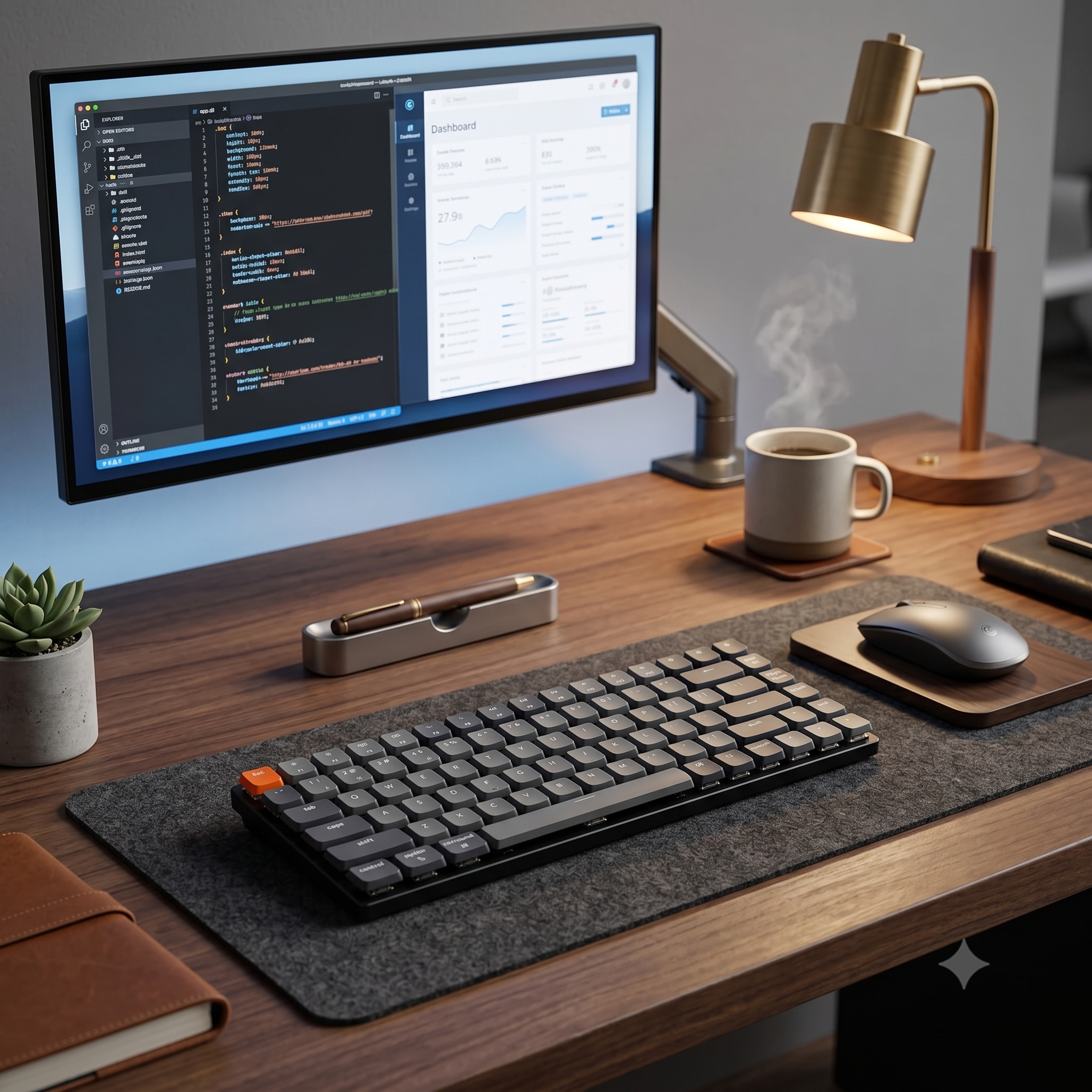
The ultimate low-profile mechanical keyboard to elevate your aesthetic workspace and typing productivity.
Upgrading your work-from-home workspace isn't just about adding visual accessories; it's about finding the perfect intersection of minimalism and premium performance. Enter the Keychron K3 Low-Profile Mechanical Keyboard. As one of the thinnest mechanical keyboards on the market, it breaks the stereotype that mechanical keyboards must be loud, bulky, and industrial. Designed specifically for modern creators, coders, and writers, the Keychron K3 offers a tactile, highly responsive typing experience inside a beautifully sleek aluminum housing that compliments any clean, minimalist desk setup perfectly.
📌 Quick Product Summary
- Ultra-Slim Profile: Streamlined aluminum body that reduces wrist extension without needing a separate wrist rest.
- Seamless Connectivity: Connects with up to 3 separate devices via stable Bluetooth 5.1, shifting between Mac, Windows, and iPad with a quick toggle switch.
- Hot-Swappable Convenience: Easily customize your typing experience by swapping out low-profile switches without soldering.
- Aesthetic Backlighting: Features soft white or RGB backlighting options that add an elegant, subtle glow to late-night study and work sessions.
🔍 In-Depth Review: Why the Keychron K3 Changes the Game
An Unparalleled Typing Feel: If you are transitioning from a flat laptop keyboard or a basic membrane office keyboard, the Keychron K3 will instantly blow you away. The low-profile mechanical switches are roughly 40% slimmer than conventional switches, meaning you get the delightful, crisp tactile feedback of a mechanical board with a much shorter, faster actuation distance. Your typing speed increases, and fatigue vanishes during long writing sessions.
Crafted for Minimalist Aesthetics: Unlike chunky gaming keyboards that dominate your desk, the Keychron K3 features an incredibly narrow bezel design. Its standard 75% layout keeps all critical function keys while saving valuable desk estate. The beautiful dark gray and black color palette blends into premium workspaces, pairing elegantly with minimal desk mats, monitors, and studio speakers.
True Cross-Platform Ecosystem: Keychron is renowned for being incredibly Mac-friendly. The K3 features dedicated macOS media keys and comes with custom Mac keycaps pre-installed, alongside alternative Windows layout keycaps in the box. Switching your workflow from your office MacBook to your personal iPad or gaming PC is completely instantaneous, keeping your workflow completely unhindered.
✔️ Pros & ❌ Cons
Pros
- Beautiful, lightweight, and ultra-portable slim aluminum chassis.
- Incredibly crisp, low-latency typing experience with premium switches.
- Flawless native compatibility for both macOS and Windows layouts.
- Hot-swappable switch option offers great future customization.
Cons
- Compact battery size means you'll need to recharge it every few days if backlighting is kept on max brightness.
📸 See it in Action

🛠️ Real-Life Use Cases
- For Writers & Bloggers: The short travel distance of low-profile switches creates an incredibly rhythmic, satisfying typing flow that keeps you locked in. You can type thousands of words cleanly without experiencing any finger strain.
- For Mobile Digital Nomads: Because it is so thin and lightweight, the Keychron K3 slips easily right next to your laptop inside a sleeve. It turns any coffee shop table into a highly ergonomic, high-tier mobile workstation.
- For Multitasking Professionals: Seamlessly reply to emails on your MacBook, switch over to draft a quick message on your iPhone, and control your smart TV layout—all using the exact same keyboard setup.
🛒 Buying Guide: What to Consider Before Buying
When investing in a low-profile mechanical board, choose your switch colors carefully. Red switches are linear, incredibly quiet, and smooth—making them ideal for shared office environments. Blue switches offer a highly distinct, loud, satisfying clicky snap, which is great for pure typing enthusiasts working alone. Brown switches provide a balanced middle-ground, offering a tactile bump without excessive click noise, which is universally recommended for most digital setups.
⚖️ Alternatives to Consider
The closest premium competitor is the Logitech MX Keys Mini. While the MX Keys Mini offers excellent battery endurance and soft membrane keys, it completely lacks the satisfying mechanical travel and customization options of the K3. Another alternative is Apple's official Magic Keyboard, which features clean aesthetics but offers a very shallow typing depth at a much higher price tag. For true enthusiasts, Keychron remains the champion of performance and value.
📊 Specifications
| Brand | Keychron |
| Layout Size | 75% Compact Layout (84 Keys) |
| Connectivity | Bluetooth 5.1 (Up to 3 Devices) & Type-C Wired |
| Switch Height | Low-Profile Mechanical / Optical |
| Compatibility | macOS, Windows, iOS, Android, Linux |
🎯 Who Should Buy This?
Best For:
- Aesthetic Desk Enthusiasts: Creators wanting an elegant, ultra-slim layout that elevates workspace vibes.
- Apple Power Users: Mac and iPad users looking for an affordable, highly tactile alternative to flat keyboards.
- Fast Typists: Coders and copywriters who require rapid, fatigue-free tactile feedback during long sessions.

❓ Frequently Asked Questions
1. Can I use the Keychron K3 while it is charging?
Yes, absolutely! You can flip the back switch to 'Cable' mode, plug it into your laptop via the included Type-C cable, and use it as a standard wired keyboard while it fully recharges background battery.
2. What is the difference between Hot-Swappable and Non-Swappable versions?
The hot-swappable version allows you to easily pull out switches and pop in a new type (like changing from quiet Reds to tactile Browns) without needing any technical soldering tools. The non-swappable version has factory-soldered switches that cannot be removed.
3. How long does the battery realistically last?
With backlighting turned off completely, it can easily last up to 90 hours on a single charge (around 2-3 weeks of normal use). With RGB lighting active at max brightness, it will typically last around 34-40 hours.
4. Does it come with a battery percentage indicator?
Yes, a small LED light located right next to the charging port flashes red when the battery drops below 15%, letting you know exactly when it's time to plug in your cable.